Internal Linking Strategy: Pass Authority Where It Matters
Most sites treat internal links as an afterthought — a nav menu and a “related posts” widget. That’s a wasted asset. A deliberate internal linking strategy decides which of your pages rank and which sit invisible, and it costs you nothing but a few hours of focused work.
Here’s a pattern I see constantly when auditing small sites: the owner spends months chasing backlinks, then publishes a new article, links to it from nowhere, and wonders why it doesn’t rank. The page has zero internal links pointing at it. Google can find it through the sitemap, maybe, but nothing on the site says “this page matters.” Meanwhile the homepage links out to forty equally-weighted posts, spreading the site’s authority into a thin film that helps nobody. Internal links are the plumbing of your site — and right now, yours is probably leaking.
The good news: this is the one part of SEO you control completely. No outreach emails, no waiting for other sites to say yes, no budget. You can rewire a 50-page site’s internal linking in a weekend and see the effects in Search Console within a few weeks. This guide walks through the three levers that matter most — hub pages, anchor text, and orphan pages — plus a repeatable audit process you can run every quarter.
Why Internal Links Carry More Weight Than You Think
Internal links do three jobs at once. First, they’re how crawlers move through your site. Googlebot discovers pages by following links; the official Google SEO starter guide explicitly tells site owners that every page should be reachable through at least one link from another page. Second, links pass authority. A page that earns strong backlinks accumulates ranking power, and internal links are the channels that distribute some of that power to the rest of your site. Third, links are a relevance signal. The anchor text and surrounding context tell Google what the destination page is about.
That third job is the one people underestimate. When you link to your guide on long-tail keywords using the anchor “long-tail keyword strategy,” you’re handing Google a labeled map. Do it consistently from five or ten relevant pages and the destination page starts ranking for those terms more easily — without a single new backlink. I’ve watched pages climb from position 30 to the bottom of page one after nothing changed except the internal links pointing at them.
So treat internal linking as a distribution decision, not housekeeping. Every link is a small vote about what deserves to rank.
How Authority Actually Flows Through a Site
You don’t need the original PageRank paper to grasp the mechanics, but the mental model helps. Think of every page as holding a bucket of authority built from its own backlinks, its age, and its existing internal links. When that page links out, it pours a little into each destination. Ten links on the page means roughly a tenth per link; fifty links means a fiftieth.
Two practical consequences follow:
- Fewer, better-placed links beat many scattered ones. A contextual link in the body of a relevant article passes more useful authority — and far more relevance — than a link buried in a footer with sixty others.
- Your strongest pages are donors. Whatever pages have earned real backlinks (check Search Console’s Links report) should deliberately link onward to the pages you most want to rank. Most site owners never do this, so the authority pools uselessly on an old viral post.
The homepage is usually the strongest page on a small site. What it links to directly gets a meaningful boost. That’s a good reason to link your main hub pages — not 40 random posts — from the homepage or main navigation.
Authority is a resource your site already owns. Internal links decide whether it concentrates on the pages that matter or evaporates across everything equally.
Build Hubs: The Structure That Does the Heavy Lifting
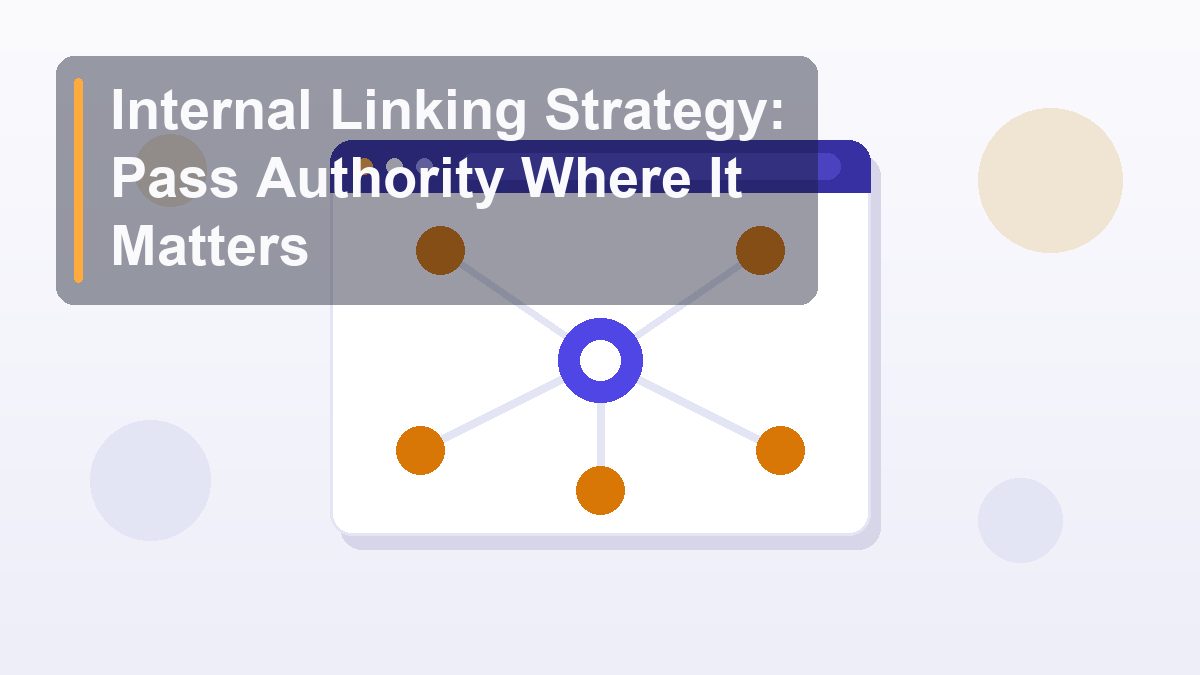
The single most effective internal linking pattern for content sites is the hub-and-spoke model. You pick a broad topic you want to own — say, “keyword research” — and create one comprehensive hub page targeting that head term. Then every narrower article on the topic (the spokes) links up to the hub with descriptive anchor text, and the hub links out to every spoke.
What a hub looks like in practice
Say you have eight articles about keyword research: beginner guides, long-tail strategy, search intent, competitor gap analysis, free tools, and so on. Without a hub, they link to each other randomly or not at all. With a hub, the structure looks like this: one “Keyword Research: The Complete Guide” page that summarizes each subtopic in a short section and links to the full article, and each article opening with a line like “This is part of our complete guide to keyword research” linking back up.
Google sees a tight cluster of topically related pages all confirming the hub as the central resource. The hub starts ranking for the broad, high-volume term; the spokes rank for their long-tails. This is exactly how big sites dominate competitive queries, and it works at 20 pages just as well as at 2,000.
Rules for hubs that work
- One hub per topic cluster. Two overlapping hubs split signals. If you catch yourself unsure which hub an article belongs to, the clusters are drawn wrong — redraw them by searcher intent, not by how you happened to write the articles.
- The hub must be a real page. A thin category archive is not a hub. Write 1,500+ words that genuinely introduce the topic and link to spokes within descriptive paragraphs, not a bare list.
- Spokes link to the hub and to 2–3 sibling spokes. Cross-links between closely related spokes reinforce the cluster. A spoke about search intent naturally links to one about keyword research basics.
- Link hubs from the main navigation or homepage. Hubs are your money pages. Give them the shortest path from your strongest page.
Anchor Text: Descriptive, Varied, Never Stuffed
External link building punishes aggressive exact-match anchor text. Internal linking is more forgiving — Google expects you to describe your own pages accurately — but “more forgiving” isn’t “anything goes.” Three rules cover almost every situation:
1. Make the anchor describe the destination. “Learn more” and “click here” waste the relevance signal. “Fix crawl errors in Search Console” tells both the reader and Google exactly what’s behind the click. If the sentence reads naturally with the descriptive anchor, use it.
2. Vary the phrasing across pages. If twelve pages all link to the same article with the identical anchor “internal linking strategy,” it starts to look templated. Rotate natural variants: “how to structure internal links,” “passing authority with internal links,” “internal link audit steps.” They’re all honest descriptions, and the variety reads like humans wrote it — because humans did.
3. Put important links in body content, high on the page. A contextual link in the second paragraph of a relevant article outweighs one in a footer widget. Position and context both feed the relevance calculation.
Orphan Pages: The Silent Rank Killer
An orphan page is a page with no internal links pointing to it. It’s in your sitemap, maybe it’s published and fine, but nothing on your site links to it — so Google finds it grudgingly, assigns it no authority, and usually doesn’t rank it. Sites that have published for a year or two almost always have orphans: old posts written before the hub structure existed, seasonal content, pages from a retired menu.
How to find them
The reliable method compares two lists: every URL on the site (from your CMS export or sitemap) against every URL that receives at least one internal link (from a crawl). Anything in list one but not list two is an orphan. A free crawl with Screaming Frog’s SEO Spider (free up to 500 URLs) gives you the linked side in ten minutes; your sitemap gives you the other. If you don’t want to install anything, Google Search Console’s Links report shows your most-linked pages — anything important missing from it is a red flag, though the report won’t give you a complete orphan list on its own.
How to fix them
For each orphan, ask one question: does this page deserve to exist? If yes, find 3–5 topically related pages and add contextual links from them to the orphan, with descriptive anchors. Add it to the relevant hub. If the honest answer is no, either fold its content into a stronger page and 301-redirect it, or leave it — but stop expecting it to rank. I’ve seen a single round of orphan fixes lift a site’s total impressions by 20% in a month, because half the “underperforming” content was simply unreachable by authority.
Link Placement: Not All Spots Are Equal
Where a link lives on the page changes what it’s worth. Here’s how the common placements compare:
| Placement | Authority & relevance value | Best use |
|---|---|---|
| Contextual (body paragraph) | Highest — full topical context plus authority | Spokes to hubs, sibling articles, money pages |
| Main navigation | High authority, low context | Hubs and cornerstone pages only |
| Sidebar / “related posts” widget | Medium — often templated, weak context | Discovery; fine as a supplement, never the strategy |
| Footer | Lowest — site-wide, boilerplate, little weight | Utility pages (about, contact), not ranking targets |
| Breadcrumbs | Small but useful — reinforces hierarchy | Every article; clarifies cluster structure |
The actionable takeaway: your ranking strategy lives in contextual links. Navigation and footers are architecture; body links are where relevance and authority actually get transferred with intent.
How Many Internal Links Per Page?
There’s no magic number, and Google’s old “100 links per page” guideline is long retired. Practical ranges that work: for a 2,000-word article, 5–15 internal links total, of which 3–8 are contextual body links to genuinely related pages. Under 3 and you’re passing up relevance signals; over 20 in the body and each one carries less weight and the text starts reading like a directory.
The test isn’t arithmetic, it’s intent: every link should be one a reader might plausibly click next. If you’re forcing links in to hit a count, you’re doing it backward. Write or update the article, notice where a reader would want more depth, and link there.
A Quarterly Internal Link Audit: Step by Step
Internal linking decays. New articles ship without links to older content, hubs fall behind, URLs change. A 60–90 minute audit each quarter keeps the structure intact. Here’s the exact routine:
- Export your full URL list. Pull every published URL from your CMS or sitemap so you know the complete inventory.
- Crawl the site. Run Screaming Frog (or any crawler) and export the internal link report: links per page, inbound counts, anchor text.
- Flag orphans and near-orphans. Zero inbound links means orphan; exactly one (usually just the hub or a paginated archive) means nearly invisible. Both need fixing.
- Check crawl depth. Any page more than 3 clicks from the homepage is effectively demoted. Restructure or add shortcuts for anything important that’s deep.
- Review your top pages’ outbound links. Open your 5 strongest pages by backlinks (Search Console → Links → External links) and confirm each one links onward to a hub or priority page. Add the links if they’re missing.
- Fix redirect chains in internal links. Update any internal link that points to a redirecting URL.
- Wire new content in both directions. Every article published this quarter should link to its hub and 2–3 siblings — and receive links from at least 3 older pages. The second half is the part everyone forgets.
- Spot-check anchor text. Scan for “click here,” duplicate anchors across many pages, and anchors that no longer match the destination’s focus.
If you want a broader health check beyond links, this slots neatly into a one-hour SEO audit as the architecture section.
Mistakes That Quietly Sabotage the Strategy
A handful of errors show up in nearly every audit I run:
Linking everything to everything. If every post links to 30 others in a widget, the contextual links you actually care about get diluted into the noise. Trim templated link blocks and be selective in the body.
Orphaning new content at birth. Publishing an article and adding zero inbound links from existing pages is the most common own-goal in small-site SEO. The fix is a two-minute habit: after publishing, search your site for 3–5 older pages on related topics and add a contextual link from each.
Letting category and tag pages cannibalize hubs. If your hub targets “keyword research” and your WordPress category archive is also called “Keyword Research,” they compete. Noindex thin archives, or rename categories so they don’t collide with hub targets.
Ignoring the sitemap connection. Internal links and your XML sitemap work together — links distribute authority, the sitemap aids discovery. Keep both clean and consistent; if you’re unsure yours is set up right, our guide to XML sitemaps and robots.txt covers it.
Set-and-forget thinking. A linking structure that was optimal at 20 articles is wrong at 60. Revisit hubs as clusters grow; sometimes a cluster gets big enough to split into two hubs with a parent page above them.
Measuring Whether It’s Working
You don’t have to guess. Three free data sources tell you if the rewiring paid off:
Search Console performance data. After strengthening links to a page, watch its impressions and average position over the following 3–6 weeks. Pages that were indexed but unlinked often show a visible impression lift first — Google recrawls them more frequently once they receive real links.
The Links report. Search Console → Links → Internal links shows which pages receive the most. Sanity-check it against your priorities: your hubs and money pages should be near the top. If a random tag archive outranks your main hub in internal links, something’s structurally off.
Crawl stats and index coverage. Formerly orphaned pages that now receive links typically move from “Discovered — currently not indexed” to indexed. That migration, visible in the Pages report, is the clearest before/after signal there is.
Give changes at least a month. Internal linking works faster than link building, but it isn’t overnight — Google has to recrawl the linking pages before the new votes count.
The Bottom Line
Internal linking is the rare SEO lever that is entirely yours: no gatekeepers, no budget, no waiting on anyone’s reply. Decide which pages matter, build hubs around the topics you want to own, write anchors that describe their destinations, hunt down your orphans, and re-audit quarterly. A site with 30 well-linked pages will outrank a site with 100 disconnected ones, because authority concentrated beats authority scattered, every time.
Methodology and tool references current as of August 2026. Crawl behavior and Search Console report names evolve; check Google’s official documentation for the latest. Related reading on this site: Link Building for Beginners for the external side of authority, and How to Fix Crawl Errors and Indexing Problems for when pages refuse to get indexed even after proper linking.